4
Focused utility apps, each centered on a single workflow.
Start with a task, not an app name. Pick the workflow you need and open the right product page with limits, tradeoffs, and pricing details.
Built for iPhone, iPad, and Mac by a small team that ships focused tools.
Each card maps to one job and one primary tool.
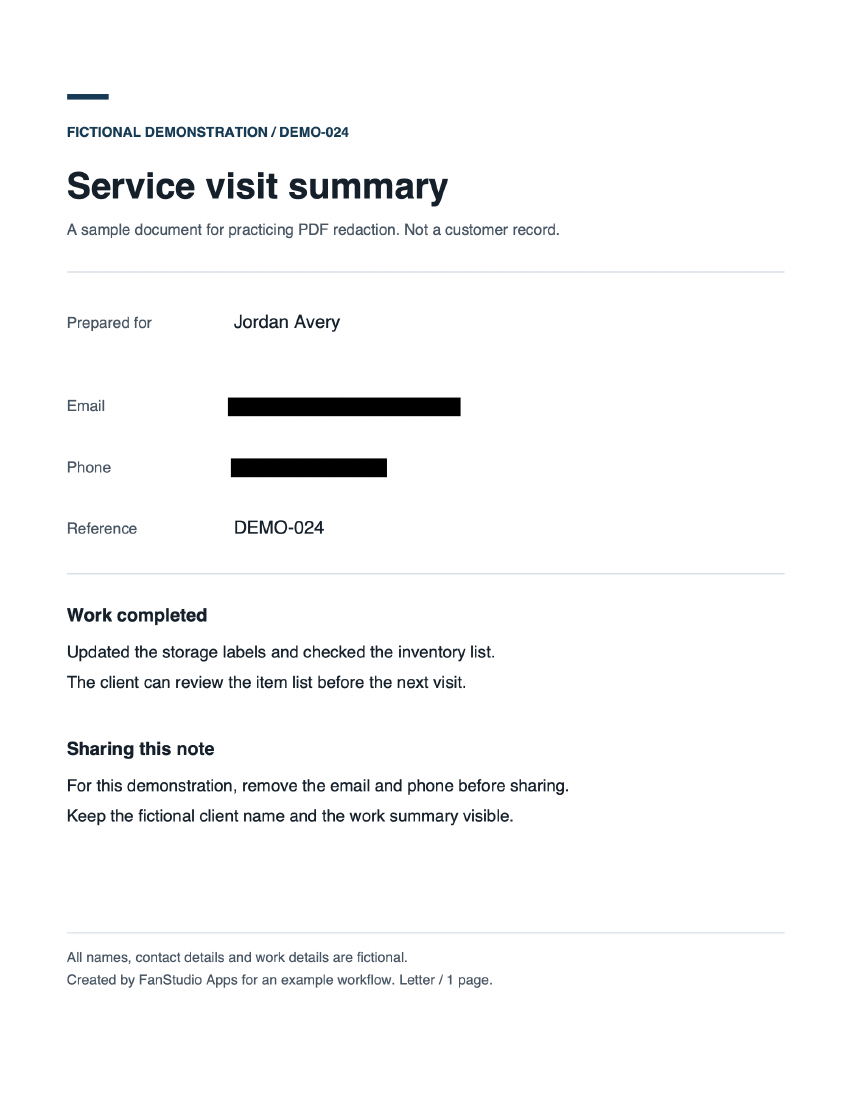
Run OCR, mark sensitive areas, export a hardened copy, and verify that hidden text cannot be recovered.
Scan receipts and forms with OCR, then export to your preferred destination with predictable handling.
Identify duplicates, screenshots, blurry shots, and oversized videos, then review in batches.
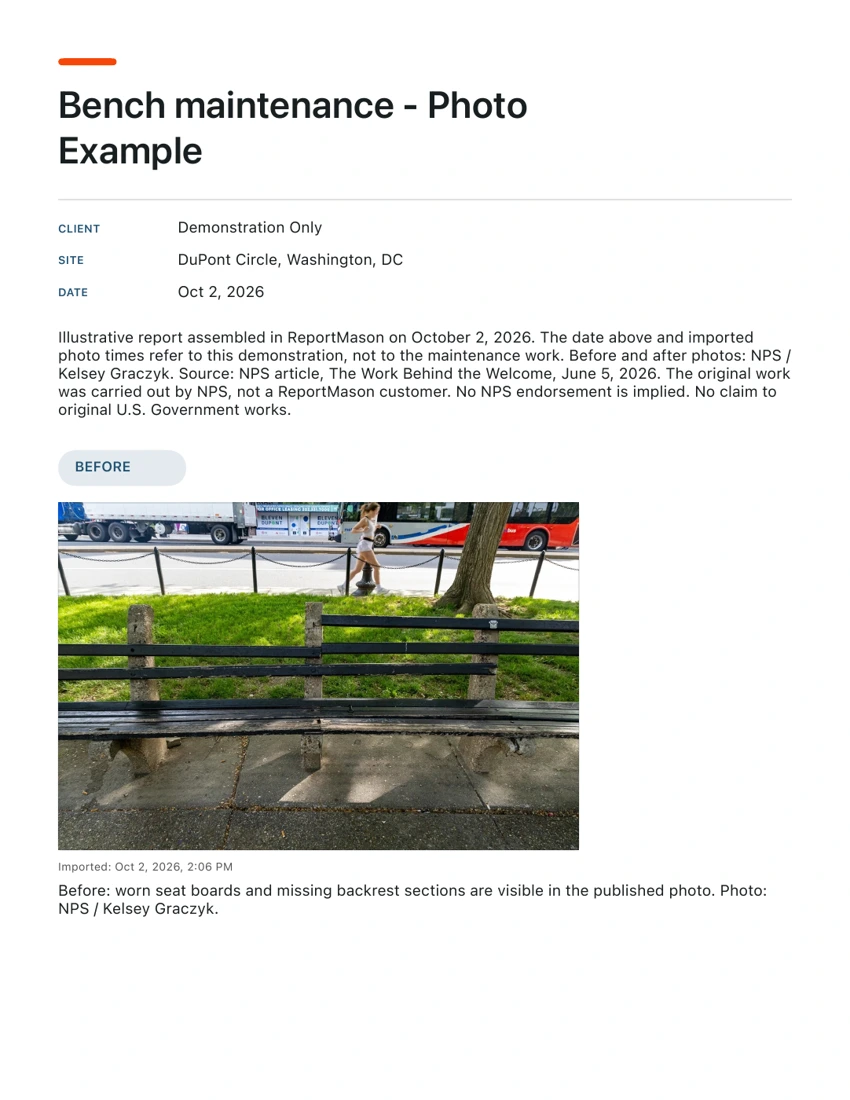
Protect faces, text, and QR codes before publishing. Share a safer copy, not the original file.
The basics are simple: what leaves the device, what does not, and what can be reviewed before export or delete.
Focused utility apps, each centered on a single workflow.
Account sign-up required for core flows.
User-controlled export and share step.
Per app with workflow, privacy notes, and pricing context.
No kitchen-sink product language. Each app page explains what it does, where it fits, and where it does not.
Redact sensitive PDF data and export a hardened file you can send to clients, HR, legal, or compliance teams.
Best for: sensitive forms, contracts, compliance packets.
Capture real paperwork quickly, turn it into searchable text, and keep exports organized instead of scattered across apps.
Best for: receipts, expense docs, class notes, travel records.
Find what is wasting storage, then review and clean in batches. Good for people who want control, not one-tap deletion.
Best for: monthly storage cleanup and camera-roll maintenance.
Before you publish photos or clips, hide what should stay private. Export a safer copy with optional metadata cleanup.
Best for: social uploads, listings, family sharing.