Always on device
- Similarity and blur analysis
- Large media categorization
- Cleanup suggestions and sorting
 FanStudio Apps
Get the app
FanStudio Apps
Get the app

Free up iPhone storage safely with on-device analysis only.
Free to download. Optional one-time Pro upgrade.
What is processed locally and what never leaves your device by default.
Use Photo Space Saver when the camera roll is too large to clean by memory alone.
Surface screenshots, screen recordings, large videos, and low-value duplicates before you start deleting.
Group near-duplicates and blurry shots so you can compare before keeping or removing anything.
Smart Select can speed up cleanup, but final deletion still goes through review and the Photos delete flow.
Analysis runs locally by default, without sending your library to a server for cleanup suggestions.
A quick look at the workflow.
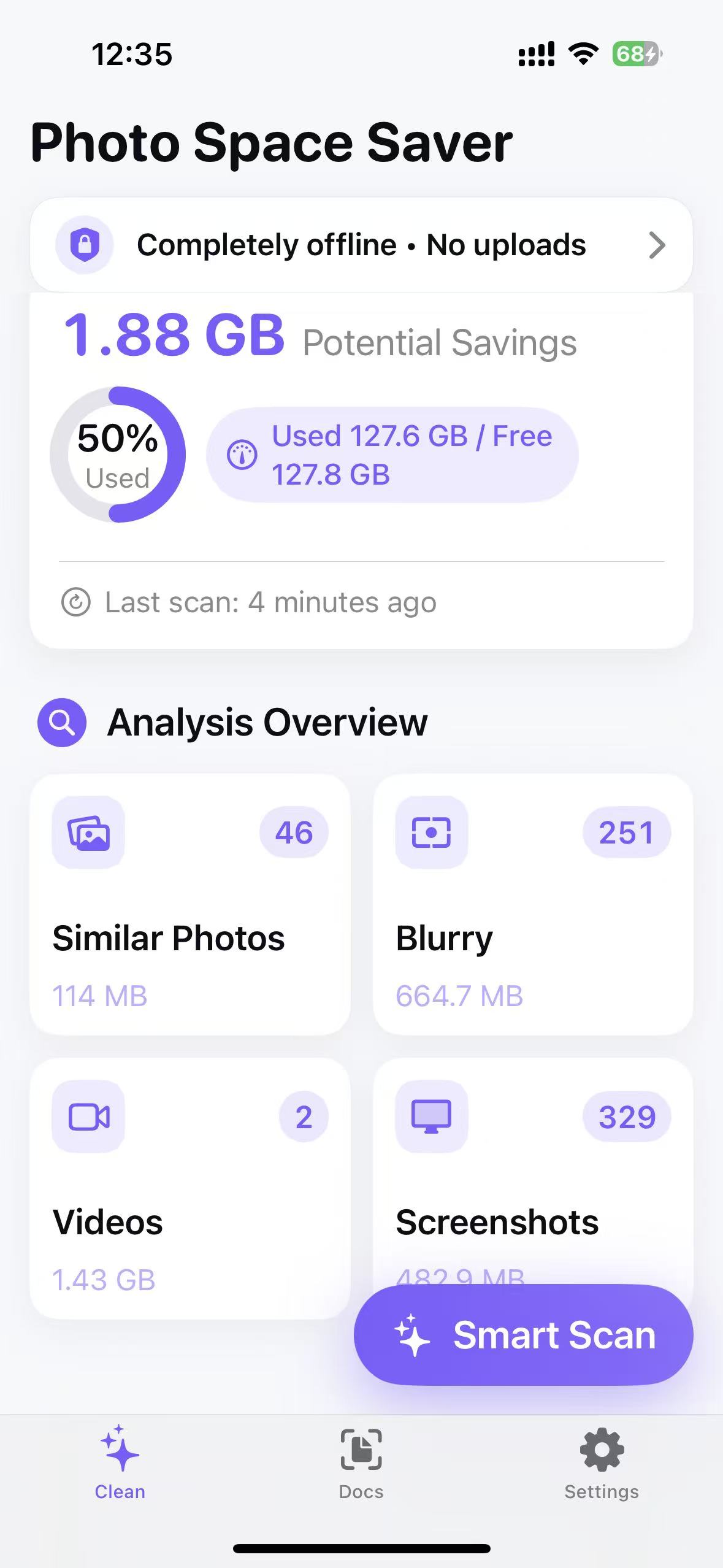

Start free. Upgrade only if it saves you time.
Try the workflow
One-time upgrade
Current price and details are listed in the App Store.
Exact pricing and feature availability are listed in the App Store.
Short answers to common questions.
No. Matching and analysis run locally on your device.
You can usually recover it from Apple Photos > Recently Deleted during Apple's retention window.
Pro adds full-library scan, deeper analysis, Smart Select presets, and batch cleanup controls.
No. The Pro workflow is offered as an optional one-time upgrade.
No account · No uploads · Works offline